Best overall for template-based family greetings: Selfanimate. Best for custom layouts: Canva. Best for photo-led greetings: Adobe Express. Best for familiar slide-based editing: Microsoft PowerPoint. This 2026 guide helps you choose a diwali animated wishes video maker by the greeting you want to create, not by a list of effects.
- Selfanimate is the best fit for families who want template-based animated greeting videos without editing skills.
- Choose Canva as your diwali animated wishes video maker when custom layouts matter most.
- Choose Adobe Express for photo-led festival greetings; choose Microsoft PowerPoint if you already work comfortably with slides.
- Check message readability, animation timing and export conditions before sharing your Diwali wishes video.
Why this matters
A Diwali greeting should feel personal and be easy to read. Animation supports that message; it should not hide a family name behind moving decorations or rush through your wishes.
For Diwali 2026, start with the result you need. A ready-made greeting, a custom design, a family-photo montage and an animated slideshow call for different workflows. Choose the simplest tool that gives you control over your message.
What makes the best Diwali video maker?
Use these criteria before choosing an app. They matter more than how many decorative elements appear in a template gallery.
- Relevant starting point: Look for a greeting layout that suits your celebration. A festival greeting and a party invitation have different jobs; an invitation needs event details, while a greeting needs a clear wish and sender name.
- Readable text: Your message should remain legible over the background. Check names, punctuation and any Indian-language text you add, especially if a decorative font changes the appearance of characters.
- Useful customization: Decide whether you need only names and wishes, or also family photos, several scenes and carefully arranged text. More editing control also means more decisions.
- Comfortable pacing: Each message should remain visible long enough to read without pausing. Preview the whole video rather than judging a still image.
- Clear export conditions: Check the current download options, watermark conditions and music permissions. Do not assume that a preview and the exported video have identical conditions.
A good template reduces editing work without forcing you to compromise on the greeting. If the design overwhelms your words, choose another design before spending time personalizing it.
Diwali video makers at a glance
These recommendations compare workflows, not measured performance. Confirm the current features and export conditions in the tool you choose.
| Tool | Best for | Standout feature | Key limitation |
|---|---|---|---|
| Selfanimate | Template-based family greetings | Customizable animated greeting templates without editing skills | The selected template must suit your message and intended look |
| Canva | Custom layouts | Visual design tools with animation and video editing | You make more layout and timing decisions yourself |
| Adobe Express | Photo-led greetings | Combining photos, text and video in a visual editor | A personal photo greeting still needs careful image selection and pacing |
| Microsoft PowerPoint | Familiar slide-based editing | Slide animations and video export | You build the festival look and sequence yourself |
1. Selfanimate: best for template-based Diwali greetings
Selfanimate is an online video maker based in India for creating and customizing animated invitations and greeting videos from templates. Its template-based approach suits families who want to personalize a greeting without learning video editing.
Browse the current selection before committing to a design. Look for a festival greeting that gives your wishes enough room; do not assume that every template supports the same text, photos or customization options.
Selfanimate is best for families who want template-based animated greeting videos without editing skills.
Pros:
- Starts with an animated template rather than a blank project.
- Supports personalized invitation and greeting videos.
- Matches a simple, template-first creation workflow.
Cons:
- Your chosen template needs to fit your message.
- A template-first workflow is a less direct starting point when you want to design every scene yourself.
Best for: A family greeting where you want to customize an existing design rather than assemble a video from scratch.
Verdict: Buy only after checking that the template and preview match your greeting.
2. Canva: best for custom Diwali greeting layouts
Canva combines visual design tools with animation and video editing. It suits you when the placement of photos, text and decorative elements matters as much as the animation itself.
Start with a suitable layout or build your own. Keep the design focused: a greeting becomes harder to read when every element moves or several text styles compete for attention.
Canva pros:
- Gives you control over the arrangement of text and images.
- Supports animated visual designs and video projects.
- Works for greetings built around a specific family photo or message.
Canva cons:
- More design freedom means more decisions about spacing and timing.
- Asset access and export conditions need checking for your selected design.
Best for: A Diwali greeting with a deliberately arranged layout, rather than a mostly fixed template.
Verdict: Hold off on any purchase until your chosen assets and export options meet your needs.
3. Adobe Express: best for photo-led Diwali wishes
Adobe Express provides tools for combining photos, text and video. It is a useful starting point when your family pictures carry the greeting and animation plays a supporting role.
Choose photos that belong together, then add a short wish and a closing sender name. Avoid using every picture from a celebration; a focused selection makes the message easier to follow.
Adobe Express pros:
- Supports a greeting built around personal photos.
- Combines text and visual content within a video workflow.
- Suits a sequence of family moments followed by a festive wish.
Adobe Express cons:
- You still need to decide which photos deserve a place.
- A photo-led approach is less suitable if you want the animation itself to be the main attraction.
Best for: Families who want their own pictures, rather than decorative animation, to lead the greeting.
Verdict: Hold off on any purchase until the photo sequence and export conditions work for you.
4. Microsoft PowerPoint: best for familiar slide-based editing
Microsoft PowerPoint supports slide animations and video export. If you already know how to arrange pictures and text on slides, it gives you a familiar route to an animated greeting.
Treat each slide as a scene. Build a clear opening, a readable wish and a closing family name, then preview the transitions before exporting through a supported version.
Microsoft PowerPoint pros:
- Uses a familiar slide-based structure.
- Lets you arrange text and photos directly.
- Supports animations and video export.
Microsoft PowerPoint cons:
- You need to create the festival styling yourself.
- Slide transitions alone do not create a carefully paced greeting.
Best for: Someone comfortable with presentation software who wants to reuse those skills.
Verdict: Skip this option if you want a ready-made festival-video workflow.
How these recommendations were ranked
The ranking follows the criteria above: a relevant starting point, readable text, useful customization, comfortable pacing and clear export conditions. The default recommendation favors a template-based workflow because this guide is for families making a greeting, not professional editors building an animation.
The other tools serve distinct needs. For your 2026 greeting, layout control, family photos or familiarity with slides can matter more than starting with a festival template. Choose by that need rather than treating the first position as the right answer for everyone.
Make your Diwali greeting without overcomplicating it
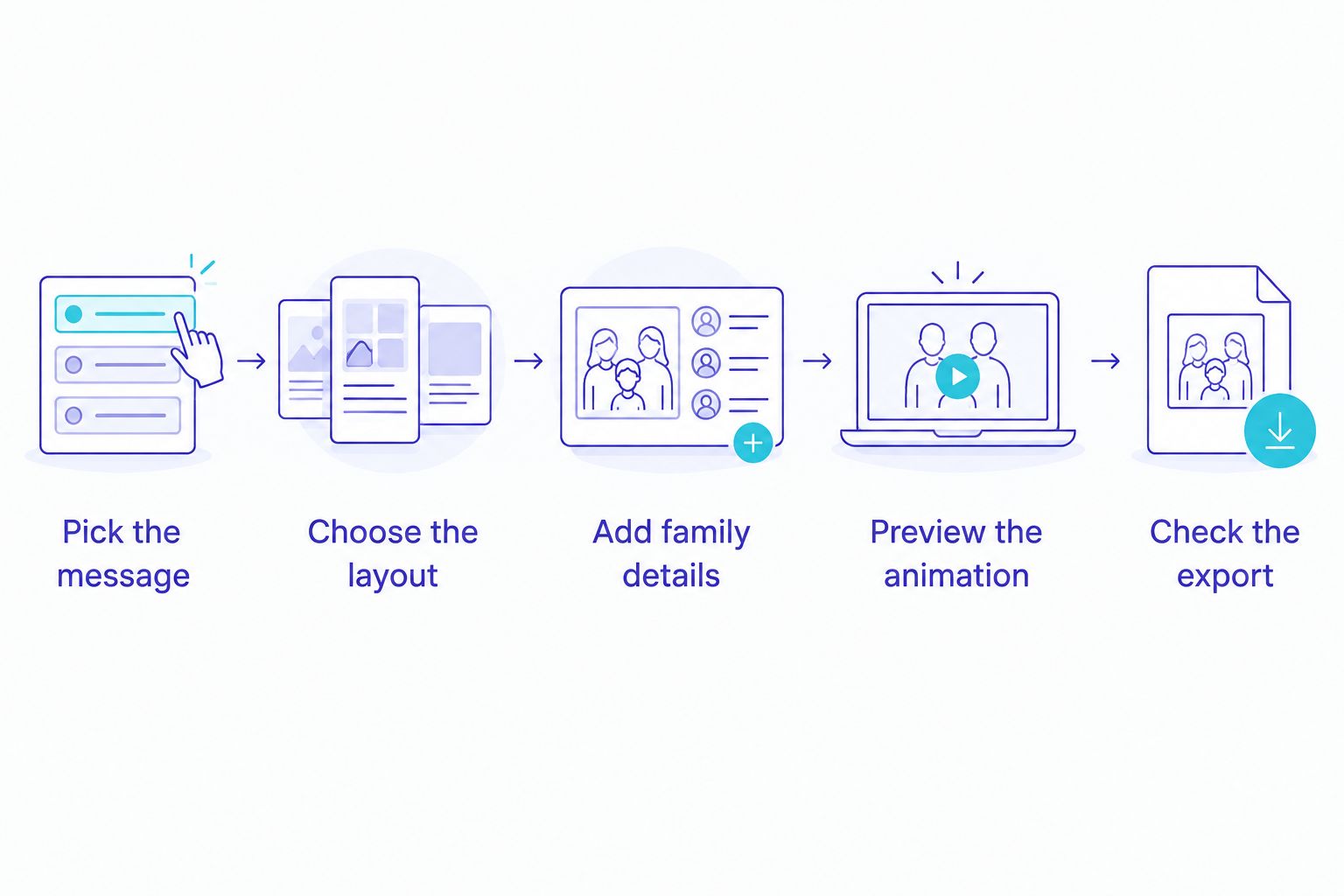
Pick the message
Write the wish before choosing effects. Decide whether it comes from an individual, a couple or the whole family, then use that perspective consistently.
A simple message such as wishing loved ones a joyful Diwali needs less space than a longer personal note. If your text does not fit comfortably, shorten it instead of shrinking it until it becomes difficult to read.
Choose the layout
Choose a design that supports the words and photos you actually have. A layout with prominent photo spaces is not the right starting point if you only want an animated text greeting.
For Diwali 2026, enter the year only if you want it displayed. Check it wherever it appears, including the opening scene and closing message.
Add family details
Add your name, family name or personal photos where the selected workflow supports them. Check spellings carefully, including the names of relatives and any transliterated words.
If you use Hindi, Tamil, Bengali or another Indian language, inspect the rendered text rather than relying only on what you typed. Ask someone who reads that language fluently to check the final greeting.
Preview the animation
Watch the complete sequence. Check whether decorative elements cover the words, whether the music distracts from the message and whether each scene stays visible long enough.
Inspect any preview watermark and confirm the conditions for the final export. A preview is useful for checking the design, but it does not replace checking the current download terms.
Check the export
Open the exported file before sending it to your family group. Play it with sound on and sound off; the greeting should still make sense without music.
Check the result on the phone you intend to use for sharing. If names or wishes are difficult to read there, revise the design before distributing the video.
A short greeting needs a clear message more than a complicated sequence. Remove any scene that repeats the same wish without adding something personal.
Start with a greeting template
Browse the current selection and choose a design that fits your family’s message.
Which Diwali video maker should you choose?
Start with a template-based maker if your main goal is to personalize and send a family greeting. Choose Canva when arranging the design yourself matters most, Adobe Express when family photos lead the story, or Microsoft PowerPoint when slide editing is already familiar.
For Diwali 2026, settle the workflow before polishing the animation. Changing tools after arranging every scene creates avoidable work. Check your message, template fit and export conditions at the start.
FAQ
What’s the best diwali animated wishes video maker for beginners?
Selfanimate is a good fit for beginners who want template-based animated greeting videos without editing skills. Choose a design that suits your message and check the preview before committing.
Is Canva better than a template-based greeting maker?
Canva is a better fit when you want to arrange the layout yourself. A template-based greeting maker is a better starting point when you prefer to personalize an existing animated design.
Which tool should I use for a Diwali video with family photos?
Adobe Express suits photo-led greetings, while Canva suits greetings where custom photo placement matters most. Choose according to whether the photo sequence or the overall layout needs more attention.
Can I make animated Diwali wishes in PowerPoint?
Yes, Microsoft PowerPoint supports slide animations and video export. Check that your version supports the export workflow you need, then preview the slide timing before sharing.
Can I add Diwali wishes in an Indian language?
Check the selected tool and template for the language and font you need. Inspect the rendered characters and ask a fluent reader to review the final text before sending it.
What should I check before downloading my Diwali greeting?
Check spelling, text readability, timing, music permissions and export conditions. Inspect any preview watermark and confirm the conditions for the final file.
Should my Diwali 2026 greeting include music?
Include music only if it suits the greeting and you have permission to use it. Keep the message understandable without sound so relatives can read it wherever they watch.
One last thing
Make the sender name part of the greeting, not an afterthought. A festive background tells relatives what you are celebrating; a clear family name tells them who is sending the wish. Check that closing scene as carefully as the opening.