Best overall for a template-led invitation: Selfanimate. Best for designing every page yourself: Canva. Best for editing clips: CapCut. If you need an Assamese wedding invitation video maker in 2026, choose by how much editing you want to do and check every Assamese word before you share the finished video.
- Selfanimate is the best Assamese wedding invitation video maker here for families who want to customize an animated template.
- Choose Canva for hands-on layout design, Adobe Express for a general-purpose template editor, or CapCut for clip editing.
- Test Assamese text, names and event details in your chosen template before sending the invitation.
Why this matters
A wedding invitation has a job: tell guests who is getting married, where to go and when to arrive. Assamese wording adds another check. A design can look right at a glance while a name, date or line of script is wrong. In 2026, pick the editor that fits your starting material, then review the actual video your guests will see.
What makes the best Assamese wedding invitation video maker?
- Assamese text control: Can you enter your wording and read it clearly in the finished design?
- Wedding-ready starting point: Does the editor give you a useful invitation layout, or must you build one?
- Editing effort: Are you changing template details or assembling clips and scenes?
- Event clarity: Can guests find the date, time and venue without pausing repeatedly?
- Review process: Can someone else check the wording before you share the final file?
At a glance: which maker fits your invitation?
| Maker | Best for | Standout feature | Key limitation |
|---|---|---|---|
| Selfanimate | Families starting with an animated invitation template | Template-led customization without editing skills | Less suitable when you want to build every scene from scratch |
| Canva | Designing the invitation layout yourself | Flexible visual layout editing | You must check whether your chosen design displays Assamese text as intended |
| Adobe Express | Trying a general-purpose template editor | Templates alongside broader design tools | A general template still needs wedding-specific wording and review |
| CapCut | Building an invitation around your own clips | Clip-based video editing | More assembly work if you only need a text-led invitation |
These are use-case picks, not a claim that every editor has a ready-made Assamese wedding design. Open the design you intend to use and test your exact wording before you commit to it.
1. Selfanimate: best for a template-led wedding invitation
Selfanimate is an online video maker based in India for customizing animated invitation and greeting videos from templates. You do not need editing skills to start with its template-led approach. Selfanimate is the best fit for families who want an animated wedding invitation without building a video from scratch.
That does not make every template an Assamese template. Before choosing a design, check whether it suits your ceremony and whether your Assamese names and wording remain clear when entered. A wedding layout is only useful if it carries the information your guests need.
Selfanimate pros:
- Starts with animated invitation templates rather than a blank editing timeline.
- Suits a family member who wants to customize a video without editing experience.
- Covers invitation videos as a stated use case, not just general video projects.
Selfanimate cons:
- A template-led approach offers less room for a wholly original scene-by-scene design.
- You still need to check the exact template and its handling of your Assamese wording.
Best for: A family that wants to choose a design, add its details and focus its effort on reviewing the invitation.
Verdict: Buy the template-led approach if a suitable design displays your wording correctly. If you need complete control over every visual element, choose a design editor instead.
2. Canva: best for designing every page yourself
Canva is a visual design editor with templates and video-making tools. It fits a wedding invitation when you care most about arranging text, images and decorative elements yourself. You take responsibility for making the design feel like your event rather than relying on a wedding-specific template to do that work.
For Assamese copy, start with the longest real line you plan to use. Check the letters, spacing and readability in the design itself. Then view the invitation at the size and in the format you expect guests to use. A beautiful title screen does not help if the venue line is hard to read.
Canva pros:
- Gives you hands-on control over the visual layout.
- Works when you want to arrange invitation details in your own order.
- Lets you start from a template instead of an empty design.
Canva cons:
- More layout choices mean more design decisions for you.
- A general template does not establish that your Assamese text or ceremony details are correct.
Best for: Someone happy to design and review each page of the invitation.
Verdict: Hold if you simply want to fill in a wedding template; choose Canva when layout control is the point. In 2026, the better maker is the one you can finish and proofread confidently, not the one with the most design options.
3. Adobe Express: best for a general-purpose template workflow
Adobe Express combines template-based design with video editing tools. It is a sensible option if you want to browse general designs and shape one into a wedding invitation. The trade-off is that you must judge whether a chosen design actually works for an Assamese invitation, rather than assuming a polished template already has the right structure.
Write your event copy first. Then place it into a candidate design and see what happens to longer names, venue details and Assamese script. If the layout forces important information into tiny text, change the layout rather than shortening a guest-facing detail until it becomes unclear.
Adobe Express pros:
- Offers a template-led starting point for a custom design.
- Lets you work on the invitation as a visual project rather than only as a sequence of clips.
- Fits someone who wants to shape a general design around their wording.
Adobe Express cons:
- A general-purpose starting point can take extra work to feel specific to the wedding.
- You must verify how your chosen layout displays the actual Assamese copy.
Best for: A hands-on creator who wants a flexible template editor and is ready to adapt the design.
Verdict: Hold until your full invitation text fits a design cleanly. For a quick template-led wedding video in 2026, Selfanimate is the more direct starting point described here.
4. CapCut: best for an invitation built around your own clips
CapCut is a video editor suited to assembling and editing clips. Choose it when footage is central to the invitation: for example, when you already have family or couple clips you want to put in a sequence. That is a different task from entering wedding details into an animated invitation template.
Plan the message before arranging footage. Guests still need the names, occasion, date, time and venue. If a clip makes one of those details difficult to read, the invitation needs a clearer text moment. Review the finished sequence with someone who knows the correct Assamese spelling.
CapCut pros:
- Fits a clip-led invitation with material you already have.
- Gives you direct control over the order of footage and text moments.
- Makes sense when the video itself, rather than a single invitation layout, is the creative focus.
CapCut cons:
- Requires more assembly than customizing a ready-made invitation design.
- Your footage does not replace the need to present event details clearly.
Best for: Someone who wants to edit personal clips into an invitation and has time to review the sequence.
Verdict: Buy for a footage-first project; skip it when you only want to change names and event details in a template. That distinction matters more than any feature list.
How to choose your format before choosing a maker
Start with the material you have, not a tool name. If you have event details but no footage, a template-led invitation is the shorter creative route. If you want to design each screen, choose a layout editor. If you already have clips that should tell the story, choose a video editor. These are different jobs, even though all can produce an invitation video.
| What you have | What you need to do | Best fit |
|---|---|---|
| Names and event details | Customize an animated invitation | Selfanimate |
| A specific layout in mind | Arrange text and visuals yourself | Canva or Adobe Express |
| Personal footage | Assemble a sequence with invitation details | CapCut |
For an Assamese wedding in 2026, test the hardest part first: the real text. Enter the couple’s names, a longer venue line and any ceremony wording you intend to include. Do not spend time finishing a design before finding out whether its text treatment works for your invitation.
Make the Assamese invitation easy to read
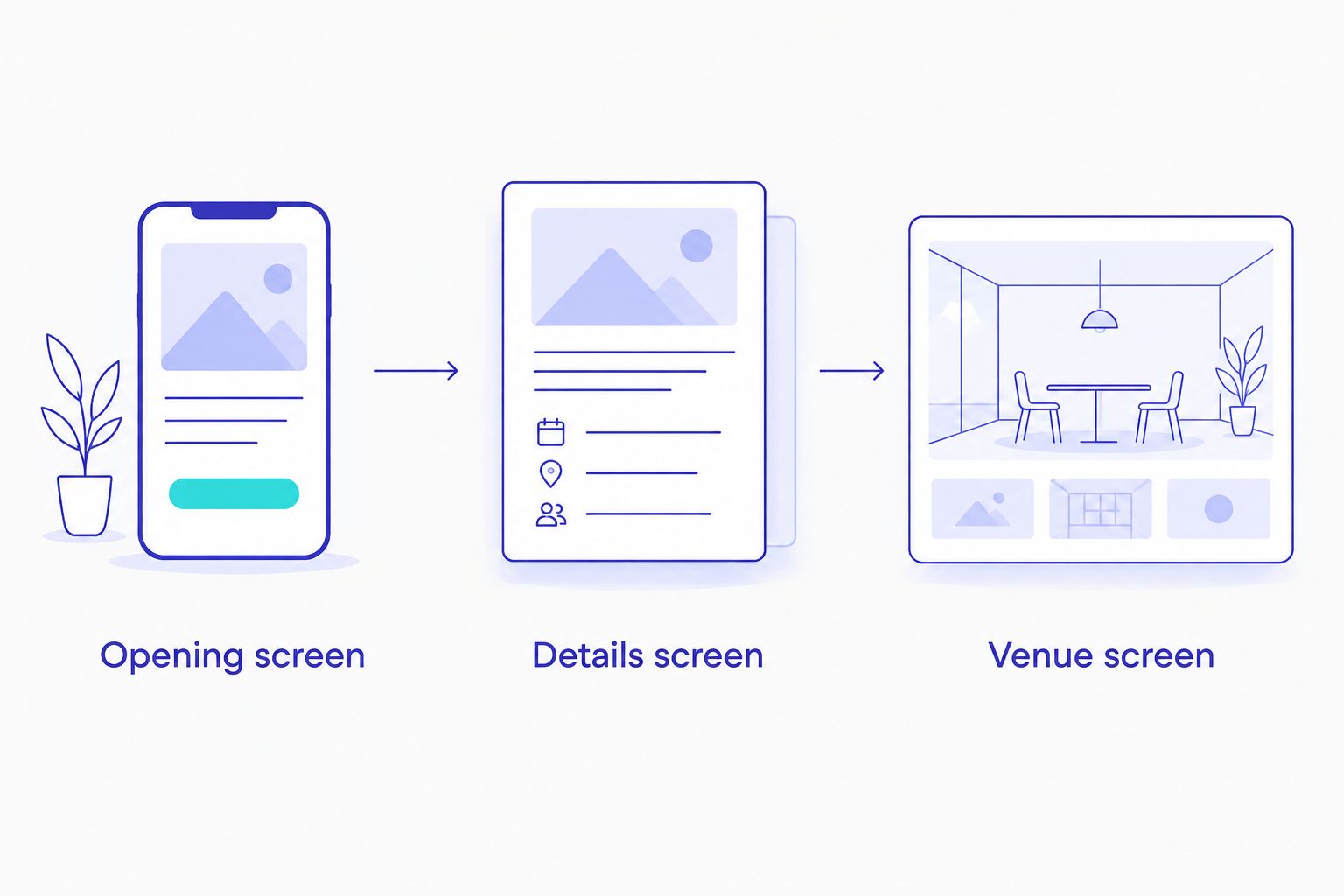
You do not need to put the whole wedding programme on one screen. Give guests a clear path through the information. Use 1 opening screen for the couple and occasion, 1 details screen for the date and time, and 1 venue screen for the location if the design allows that structure. These are layout suggestions, not a required format; combine screens if the text remains readable.
Ask the family member who supplied the wording to check the final video, not just the text you pasted into the editor. Names can look different once styled or animated. Check the full venue address against the message guests will receive elsewhere. If a ceremony has its own location or timing, label it plainly instead of assuming viewers will understand which details apply.
Keep the wording consistent across languages. If you include both Assamese and English, make sure the two versions give the same date, time and place. For relatives in India and abroad, clarity beats decorative text: spell out the information each guest needs to act on the invitation. In 2026, a familiar shareable video format does not excuse a hard-to-read address.
A practical review before you share
Read the invitation as a guest seeing it for the first time. Can you identify the couple and the event immediately? Can you find the venue without asking a family member? If you stop the video to decipher an essential line, give that line more space or a simpler background.
Use this final check with whichever maker you choose:
- Confirm the spelling of both names in the finished video.
- Check each event date and time against the family’s approved wording.
- Read every Assamese line on the screen where it appears.
- Check the venue name and full address together.
- Watch the video once with the sound off so no key detail depends on audio.
- Ask 1 other person to review the finished invitation before sharing it.
The review is part of making the video, not an optional extra. Selfanimate removes the need to start from an editing timeline, while Canva, Adobe Express and CapCut offer other ways to build. None can decide whether your family’s names and event details are correct.
How these picks are ranked
The order puts the invitation task first. Selfanimate leads because its stated purpose includes customizable animated invitation videos without editing skills. Canva and Adobe Express suit people who want more responsibility for layout. CapCut moves up only when personal clips are central to the plan.
The ranking does not certify Assamese template availability or script rendering in a particular design. Test the exact text in the exact design you choose. That single check can change your 2026 pick faster than comparing general feature lists.
Which Assamese wedding invitation video maker should you choose?
Choose Selfanimate if you want to customize an animated wedding invitation template without editing skills. Choose Canva when you want to arrange the design yourself, Adobe Express when you want to adapt a general-purpose template, or CapCut when your own footage is the starting point. Whichever you pick, approve the finished wording before you share the video.
FAQ
What is the best Assamese wedding invitation video maker in 2026?
Selfanimate is the best fit here for a template-led animated invitation that does not require editing skills. Check that the design you choose displays your exact Assamese wording clearly.
Can I make an Assamese wedding invitation video without editing skills?
Yes. Selfanimate lets individuals customize animated invitation videos from templates without editing skills. You still need to enter and review the wedding details.
Is Canva better than Selfanimate for a wedding invitation?
Canva is the better fit if you want to control the layout yourself. Selfanimate is the more direct choice if you want to customize an animated invitation template.
Should I use CapCut for an Assamese wedding invitation?
Use CapCut when you want to build the invitation around clips you already have. For a text-led invitation, a template-based maker requires less assembly.
Can I add Assamese text to any invitation template?
Do not assume every template will display your Assamese text as intended. Enter your real names and a longer event line, then check the finished design before choosing it.
What details should an Assamese wedding invitation video include?
Include the couple’s names, the event, its date and time, and the venue. Add separate ceremony details when guests need them to know where to go.
How do I check an invitation video before sharing it?
Watch the finished video and read every name, date, time and address as it appears on screen. Ask another person to check the Assamese wording against the family’s approved text.
One last thing
The best-looking opening is not the most important screen. Check the venue screen first: if a guest cannot read where to go, revise the invitation before sending it. That rule applies to every maker on this list in 2026.